5 min read
Credits for Trials (C4T) is a Leaseweb initiative that provides eligible customers with a 30-day, €200 free trial credit shared across bundled pay-as-you-go (Cloud) products. The credit is shared across all eligible products.
Eligible Products
The following products are included in the C4T trial:
- Public Cloud
Eligibility
To qualify for a C4T trial, you must meet all of the following conditions:
- You do not already have an active trial under the same customer ID.
- You have not had an expired trial or paid usage of the service within the last 6 months.
- You are limited to 1 (one) active trial per customer/sales organization at a time.
- The trial is available in all regions where the eligible products are offered (e.g., DE, UK, SG). Please check availability and opt accordingly.
- Trials are initially not available in the Netherlands.
Existing Customers
If you already hold a non-PAYG trial (e.g., Dedicated Server) or an active MRR subscription for a non-PAYG product, you can still start the Cloud Credit trial. The trial is treated as a separate, standalone agreement and does not conflict with your other trials or subscriptions.
Credit Details
| Detail | Value |
|---|---|
| Credit amount | €200 |
| Validity | 30 days from activation |
| Scope | Shared across all eligible products, currently enabled only with Public Cloud |
| Carryover | Unused credits expire at the end of the trial or upon upgrade |
Currency Handling
The base credit is fixed at €200. For non-EUR regions, equivalent values are offered in local currencies through entity-specific agreements:
After you’ve signed up, the trial value will be displayed in the corresponding currency value on Credits & Trials Dashboard in the Customer Portal
Signup and Onboarding
How to Sign Up
C4T trials are offered exclusively via the Leaseweb website (self-service):
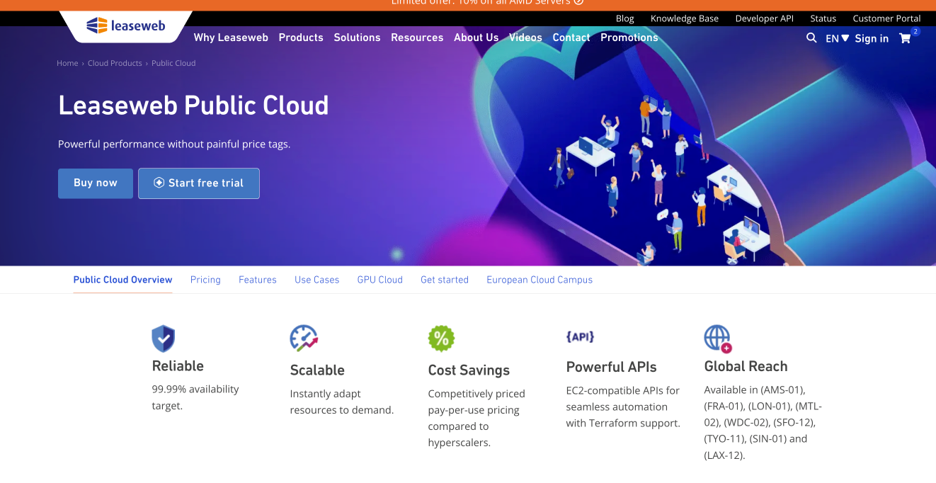
- Navigate to the Public Cloud page on the website under Products -> Cloud Products -> Public Cloud.
- Click “Start free trial”.
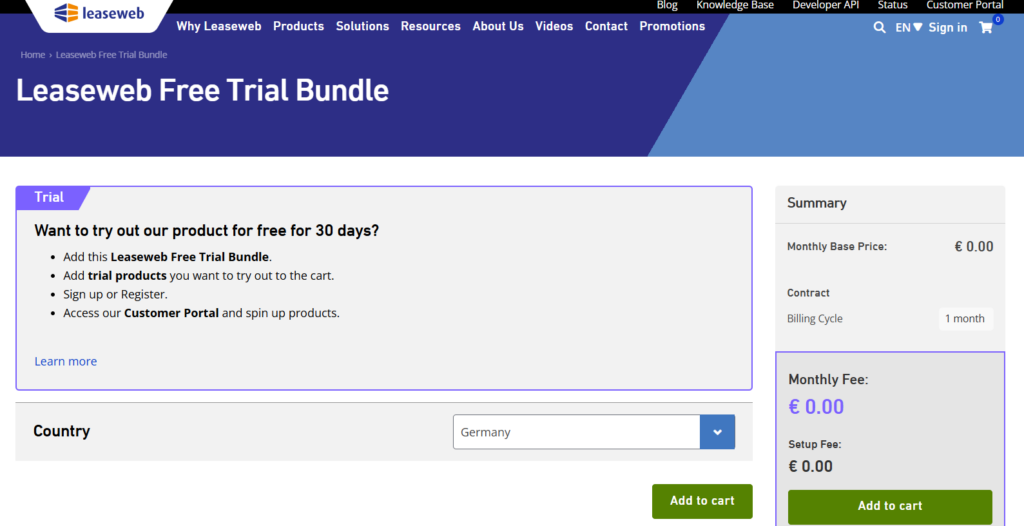
- Choose your Sales Organization Country and click on “Add to Cart“.
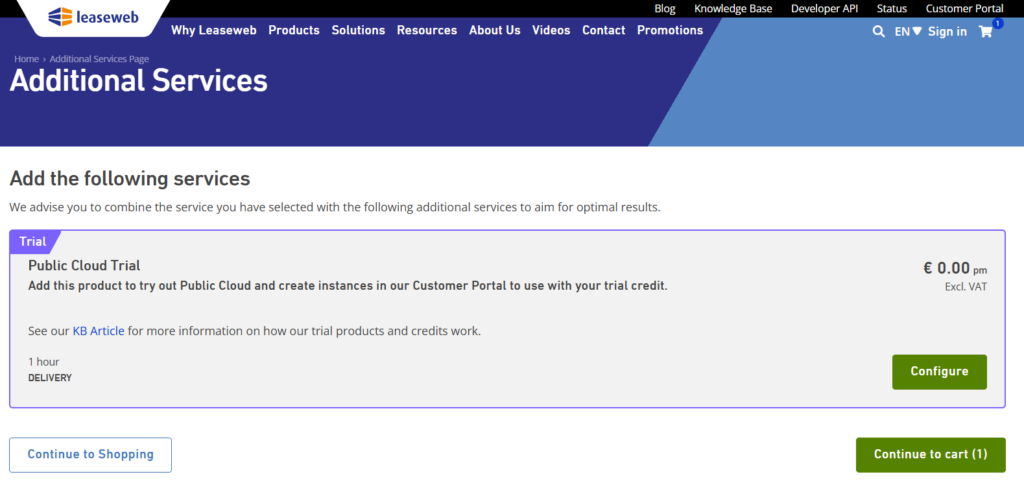
- Select ‘Configure’ on the Public Cloud trial product on the ‘Additional Services’ page.
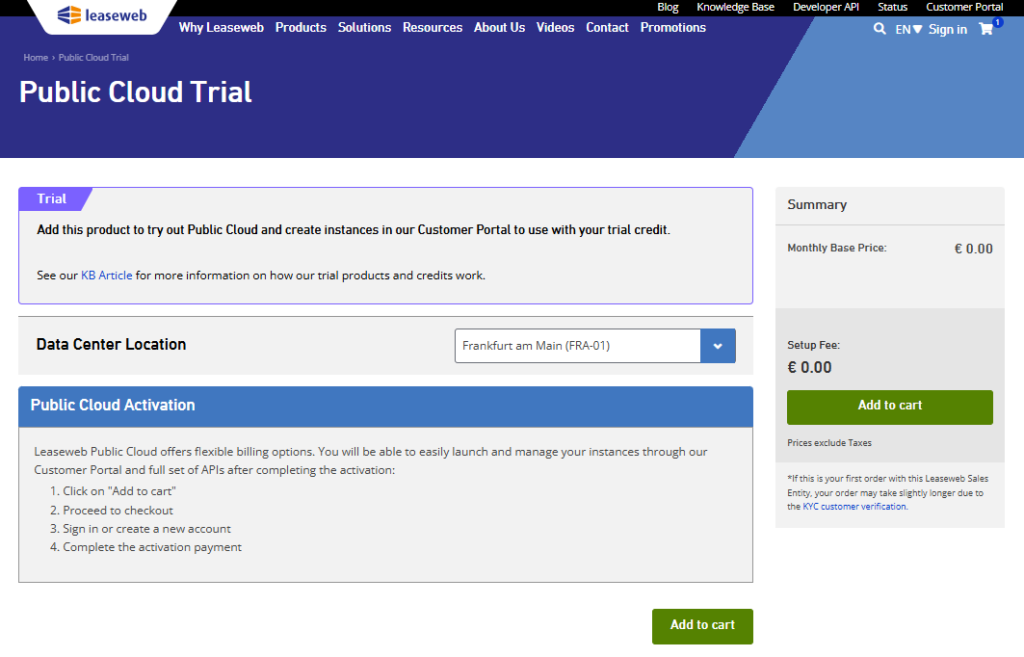
- Select the relevant Data Center Location and “Add to cart”
- “Checkout” and sign in or create an Account.
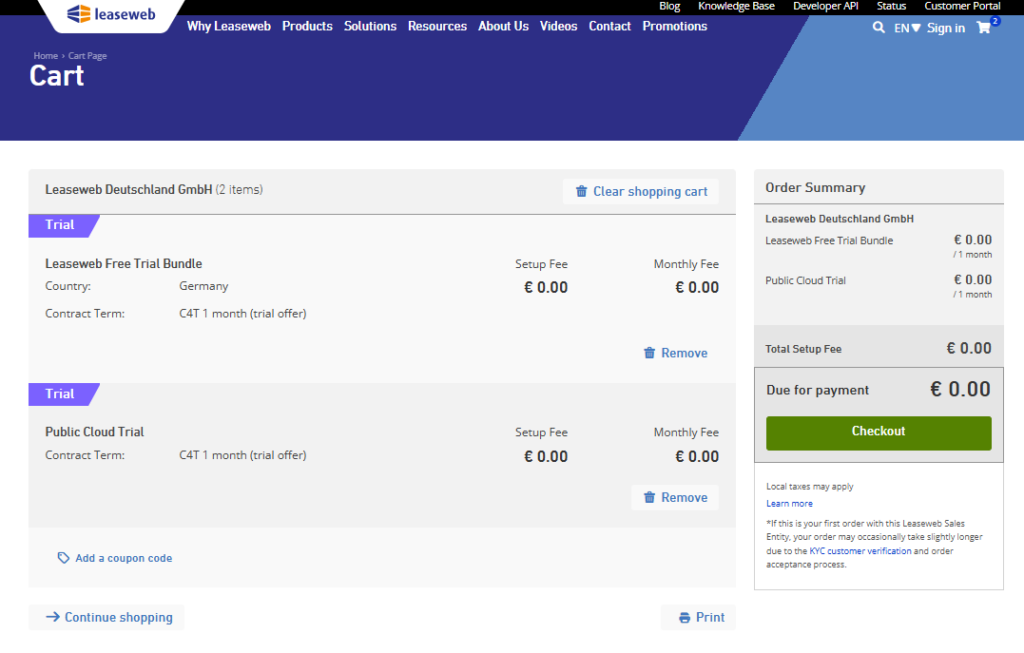
- Complete the KYC (Know Your Customer) validation process. This is mandatory before you can access the Customer Portal.
Information
No resources are provisioned at signup. You activate individual products after onboarding by going to the Credits Dashboard in Customer Portal -> Launch Instances.
Post-Onboarding: Customer Portal
After completing KYC, you can acces the Credits & Trials Dashboard in the Customer Portal. Here you will see:
- A welcome modal confirming your credit amount and 30-day trial period.
- A credit progress bar showing 0% used and 30 days remaining.
- Product activation cards for each eligible product: Public Cloud -> click “Get Started” to instantly create instances and get started on the process
Trial Lifecycle
The C4T trial follows 4 (four) states:
1. Active
- Credits are available for use across eligible products
- Usage is tracked in real time and displayed on the dashboard as a running total (e.g., €50 Kubernetes + €30 Public Cloud = €80 used).
- Multiple products and instances can be drawn from the same shared credit pool.
2. Suspended (Grace Period)
This state is triggered when either the €200 credit is fully consumed, or the 30-day period ends, whichever comes first.
- Services are paused (e.g., access to clusters is blocked).
- A 14-day grace period begins, during which you can upgrade to a paid plan or let the trial expire.
- The status of the trial would read expired on the Customer Portal dashboard but the individual product status would be suspended should either credits or 30 days be depleted
3. Expired
If no action is taken during the 14-day grace period:
- All trial services are terminated.
- The dashboard becomes read-only (actions are grayed out).
- Trial history is retained for 6 months for reactivation eligibility, then archived.
4. Upgraded
- When you click “Upgrade”, the selected product converts to a paid MRR contract.
- MRR billing starts from the upgrade date with no proration for unused credits.
- The upgraded product moves to the regular services page in the Customer Portal.
- Remaining trial products (if any) stay active until their own expiry.
Information
If you upgrade 1 (one) product (e.g., Public Cloud to MRR), only that product converts. Other trial products remain active until the 30-day trial period or credit pool is exhausted.
Actions Available During Trial
| Action | Availability | Details |
|---|---|---|
| Upgrade | Active + 14-day grace period | Converts the selected product to paid |
| Cancel | During active trial | Trial auto-expires after 30 days – upon expiry of the time period, trials are automatically canceled |
Information
After the 14-day grace period ends, no self-service actions are available.
Billing and Invoicing
During the Trial
- No charges apply while the trial is active.
- All usage is covered by the €200 credit.
- Product pages display a “Trial” banner, and cost estimates are suppressed to avoid confusion.
Information
Read the details of our sales terms and conditions and contract definitions here.
After the Trial
If the trial expires without an upgrade:
- The 30-day period ends or credits are exhausted.
- A 14-day grace period begins.
- If no upgrade is made during the grace period, the trial agreement is terminated and self-service options are disabled.
Information
Once an upgrade is made, the MRR billing starts immediately from the upgrade date (e.g., $50/month for Managed Kubernetes). There is no proration or refund for unused credits; remaining credits simply expire.
Abuse Prevention and Cooldowns
Leaseweb enforces several controls to prevent trial abuse:
- Cooldown period: 6 months from trial expiration before a new trial can be started.
- KYC validation: Full KYC is required before portal access to prevent duplicate or fraudulent accounts.
- Platform limits: Inherent caps apply on the products used.
Service Restrictions During Trials
There are some restrictions on the Public Cloud service while a trial agreement is active. These restrictions are lifted once you upgrade your trial to a paid contract.
- Only hourly Linux based instances are allowed under a trial agreement.
- Custom images are not available as part of the trial agreement as it requires a separate trial set up for Object Storage.
- Auto-scaling, load balancers, software licenses (control panels and SQL licenses) and GPU instances are not available under a trial agreement.