A volume is the storage attached to an instance. When launching an instance, you can define the volume type and size based on your storage requirements. If you need additional storage later, you can create and attach extra volumes to an existing instance.
Storage is billed based on GB-hours consumed. You can also apply Savings Plans to eligible volumes to reduce storage costs. To learn more about Savings Plans and Public Cloud billing, see the related articles here.
How to Create a Volume During Instance Launch

- Go to Public Cloud.
- Start the Launch Instance flow.
- Continue to the Storage step.
- Define the volume settings:
- Volume type
- Volume size
- Continue with the remaining instance configuration.
- Launch the instance.
The selected volume will be created and attached to the instance.
How to Attach Additional Volume/Storage
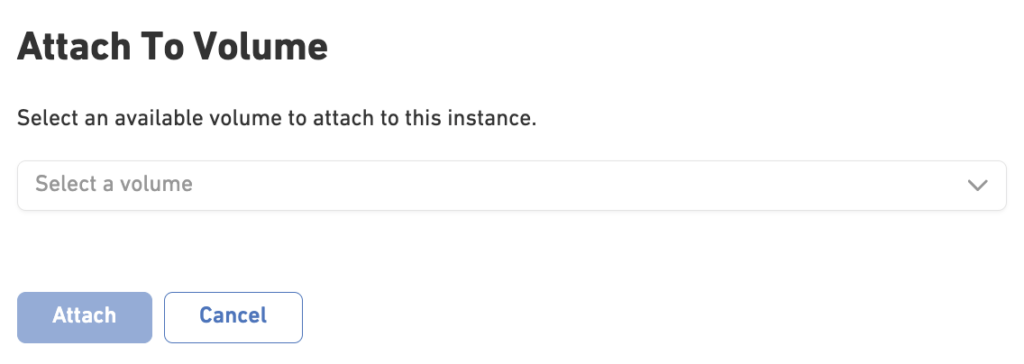
- Go to Instances.
- Open the instance you want to extend with additional storage.
- Navigate to the Volumes tab.
- Click Attach Volume
- Select the volume you created.
- Confirm the attachment.
The volume will now be attached to the instance and can be configured within the operating system for use.
How to Upgrade a Volume Size
If you need more storage capacity, you can extend the size of an existing volume in two ways.
Option 1: Upgrade Storage from the Instance
- Go to Instances.
- Open the instance you want to upgrade.
- Click Actions → Upgrade Instance.
- Select Upgrade Storage.
- Specify the new volume size.
- Click Update Instance.
The volume size will be increased to the selected capacity.
Option 2: Extend a Volume Directly
- Go to Public Cloud → Volumes.
- Select the volume you want to extend.
- Click Extend Size.
- Enter the new volume size.
- Confirm the change.
The volume will be expanded without requiring a new volume to be created.
Information
Volume sizes can only be increased. Reducing the size of an existing volume is not supported.