Advanced Backup capabilities are now seamlessly integrated into Acronis Cyber Protect Cloud’s Standard Protection, a feature our community has eagerly anticipated. As of version C25.12, this enhancement is available for all Standard Protection users on Per Workload and Per Gigabyte models, ensuring premium backup functionality without extra costs.
This article focuses on providing a brief overview of the advanced features and how to enable them as part of your backup plans, such as:
- How to modify a pre-existing protection plan
- How to configure this protection plan to enable Advanced features
- What features are not included as part of the standard protection plan
Modify a pre-existing protection plan
To benefit from the advanced features of Acronis, you first need to create or edit a protection plan. The examples below explain the plan settings from the perspective of a pre-existing protection plan.
The following instructions should lead you to the protection plan settings :
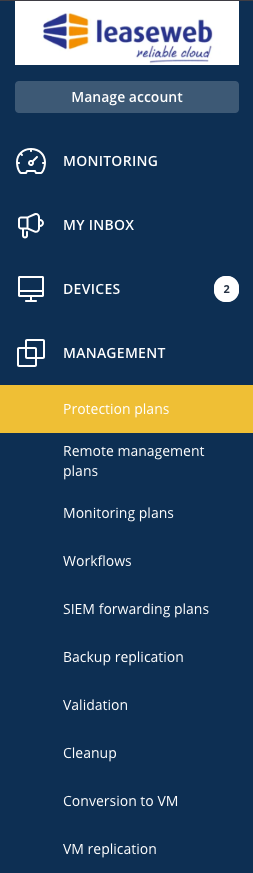
- In the Management / Protection Plans menu
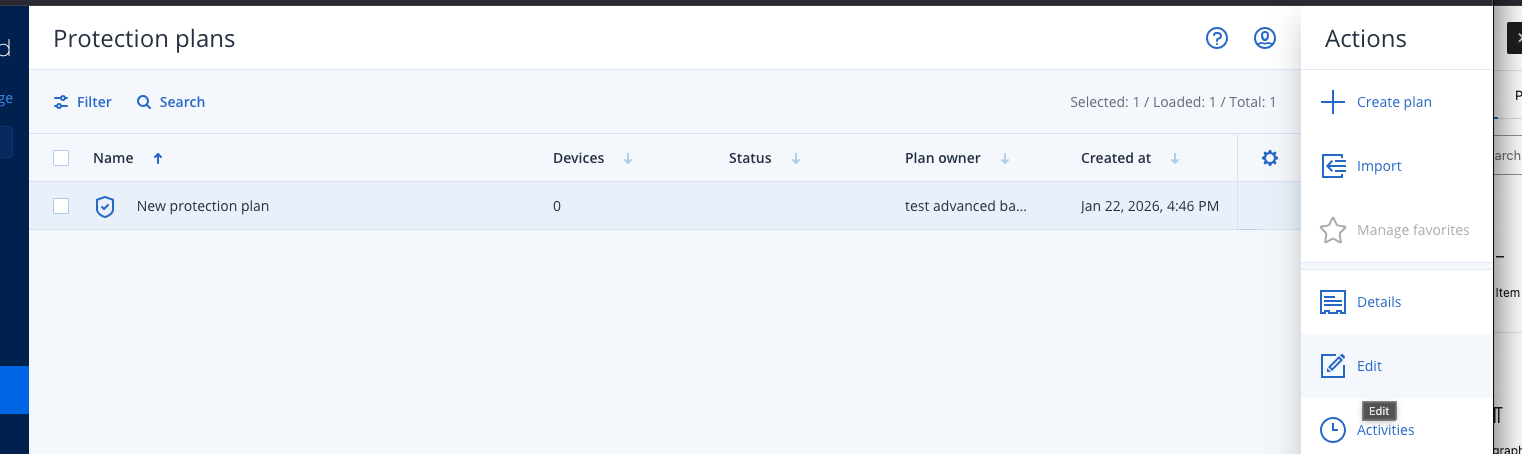
- Select a Protection plan, and click Edit
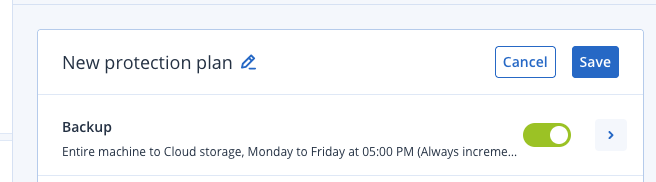
- Expand the Backup Section by using the light-blue arrow on the side.
- You will now see advanced options available for this protection plan
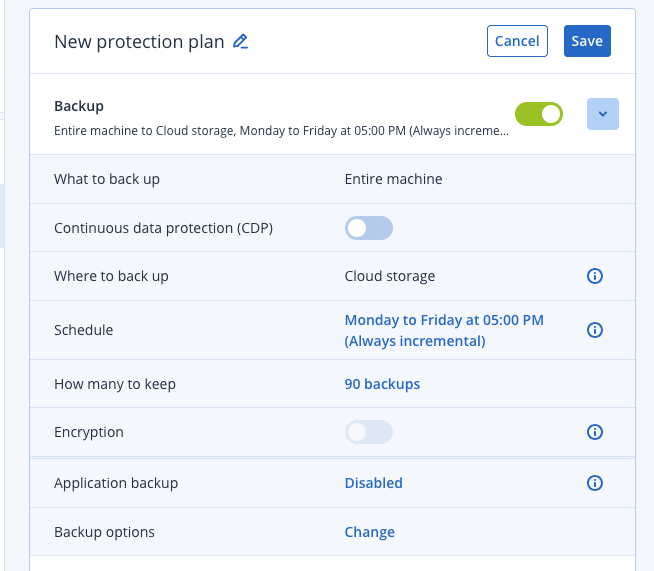
Customize Advanced Options
Here is an overview of the different options that are available under a protection plan, and where to find more information about these features. Feel free to enable one or more of these features according to your needs.
Allows Continuous Data Protection (CDP)
Continuous backup or real-time backup, more commonly known as continuous data protection (CDP), is a process in which every change a user makes to data automatically triggers a backup of that data, essentially recording every version the user saves. The true power of it comes from your ability to restore client data to any point in time without any data loss of critical assets. It is officially defined as “a backup system in which a copy of every change made to a storage medium is recorded as the change occurs.”
Acronis documentation, Continuous data protection
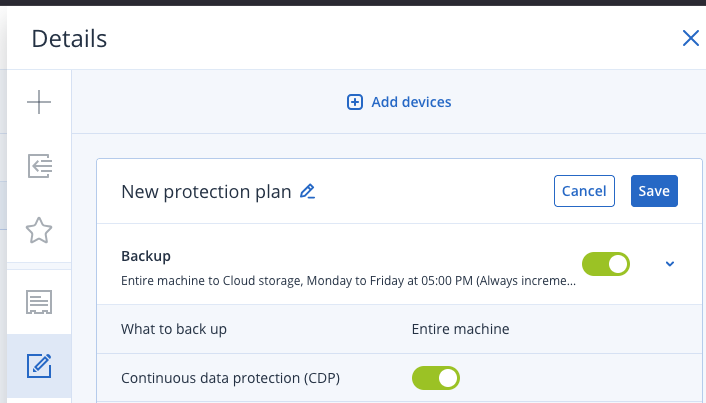
To enable Continuous Data Protection (CDP), simply turn on the toggle for “Continuous Data Protection (CDP)”:
Antivirus & Antimalware protection
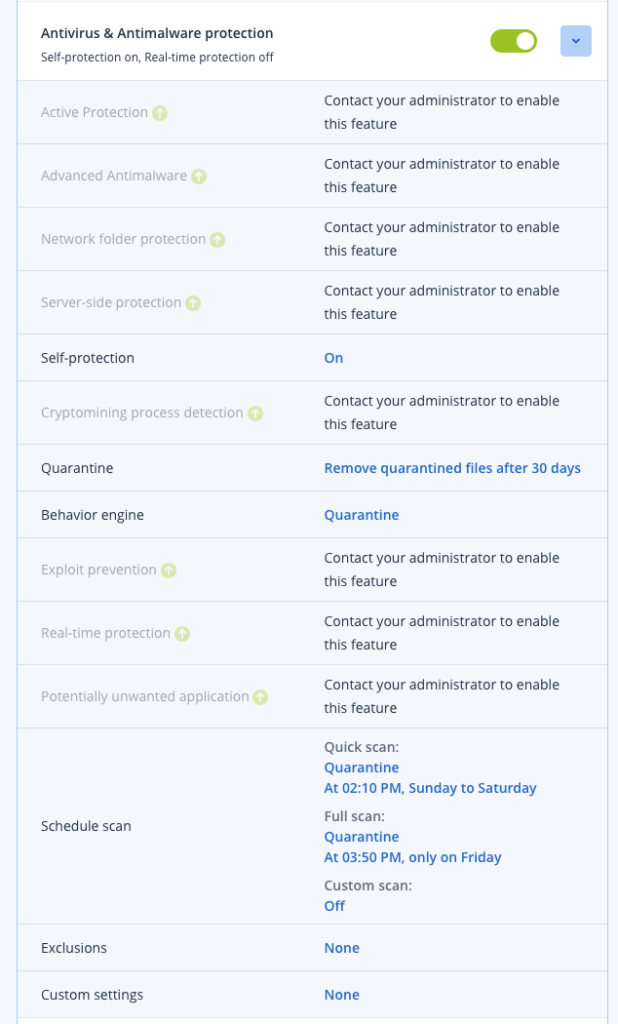
The Antivirus & Antimalware module protects your Windows, Linux, and macOS machines from all recent malware threats. See the full list of supported antimalware features in Supported operating systems for antivirus and antimalware protection.
Acronis documentation
– Detection of malware in files in the real-time protection and on-demand modes
– Detection of malicious behavior in processes (for Windows)
– Blocking access to malicious URLs (for Windows)
– Placing dangerous files to the quarantine
– Adding trusted corporate applications to the allowlist
To enable Antivirus & Antimalware protection, turn on the associated Toggle and customize the appropriate options.
Data protection map
This enables you to:
Acronis dedicated Support document
– Get detailed information about stored data (classification, locations, protection status, and additional information) on your machines.
– Detect whether data are protected or not. The data are considered protected if they are protected with backup (a protection plan with the backup module enabled).
– Perform actions for data protection.
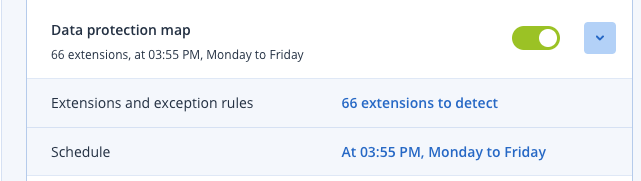
To enable Data protection map, turn on the associated Toggle and customize the appropriate options.
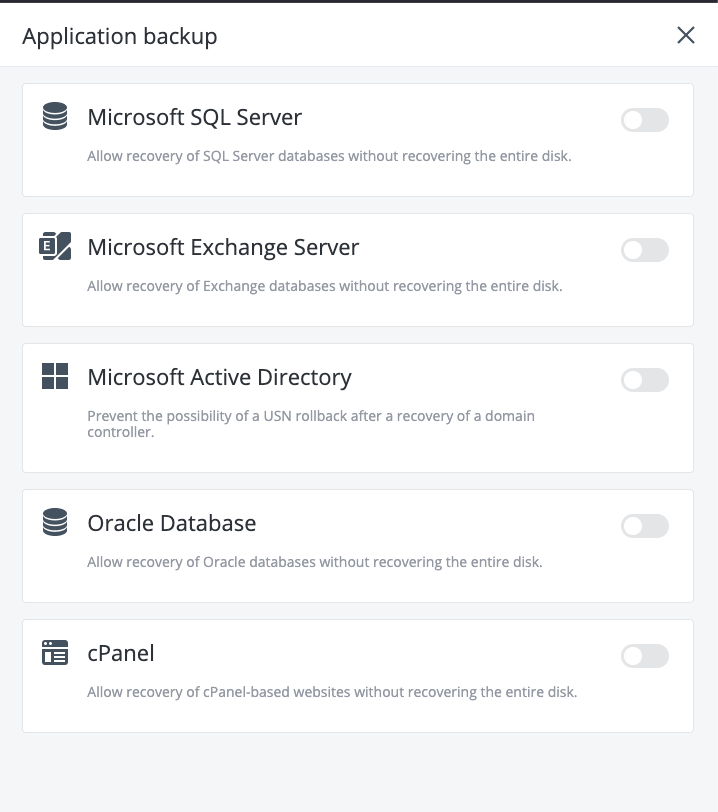
Backup of applications
For backup application such as
- Microsoft SQL Server
- Microsoft Exchange Server
- Microsoft Active Directory
- Oracle Database
- cPanel
The following instructions should guide you on how to enable it for the protection plan :
- Click “Disabled” beside the “Application backup” category
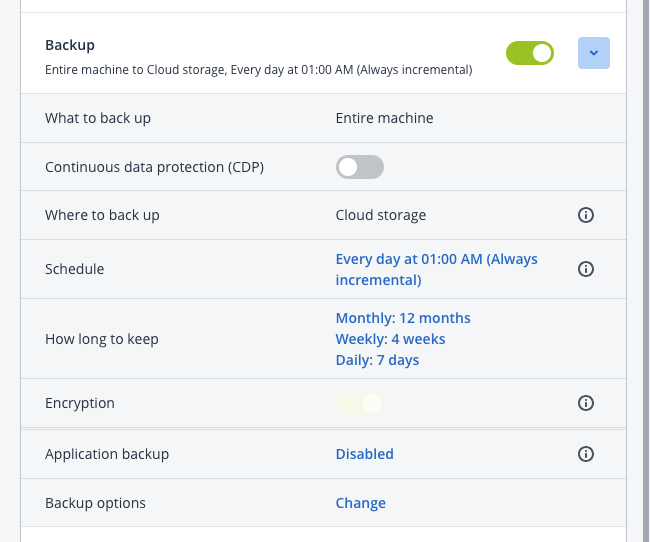
- Select and customize the application you want to backup as part of this Management plan
For further information about advanced application backup, please visit the following
| Application | Relevant documentation |
| Microsoft SQL Server | SQL server backup and disaster recovery |
| MySQL databases | Acronis Cyber Protect: How to Back Up MySQL Database |
| Microsoft Exchange Server | Microsoft Exchange backup and recovery |
| Microsoft Active Directory | Acronis Cyber Protect, Acronis Cyber Backup: How to back up a Domain Controller |
| Oracle Database | Acronis backup for Oracle DB: Comprehensive backup and recovery solution |
| cPanel | Acronis Cyber Cloud Integration with cPanel |
One-click recovery
One-click recovery allows users to recover the latest disk backup of their machines automatically. This can be a backup of the entire machine, or a backup of specific disks or volumes on this machine.
Acronis Cyber Protect Cloud: One Click Recovery
Features not available as part of Standard Protection
While a lot of new features were made available as part of Acronis Standard protection, the following features are only available by purchasing a specific package, that will involve additional costs.
Please contact Leaseweb’s sales team to verify availability if you need one of the following features:
| Feature | Package |
| Vulnerability assessment Linux packages, Microsoft products, Windows third-party products, Apple products, macOS third-party products | Upgrade cyber protection to the next level by using advanced functionality. This feature is a part of RMM. |
| URL filtering | Upgrade cyber protection to the next level by using advanced functionality. This feature is a part of Detection and Response. |
| Patch management Microsoft and Windows third-party products | Upgrade cyber protection to the next level by using advanced functionality. This feature is a part of RMM. |
| Microsoft Security Essentials | Upgrade cyber protection to the next level by using advanced functionality. This feature is a part of Detection and Response. |
| Microsoft Defender Antivirus | Upgrade cyber protection to the next level by using advanced functionality. This feature is a part of Detection and Response. |
| Firewall management | Upgrade cyber protection to the next level by using advanced functionality. This feature is a part of Detection and Response. |
| Endpoint Detection and Response (EDR) | Upgrade cyber protection to the next level by using advanced functionality. This feature is a part of Detection and Response. |
| Disaster recovery | This feature is part of Disaster Recovery and it might be subject to an additional charge. |
| Data loss prevention | Upgrade cyber protection to the next level by using advanced functionality. This feature is a part of Data Loss Prevention. |