Bare metal servers deliver raw performance and give full control. Every workload, application, and service running on a Dedicated Server depends directly on the health of its physical components. That makes hardware monitoring not just useful but essential.
Native hardware monitoring via IPMI
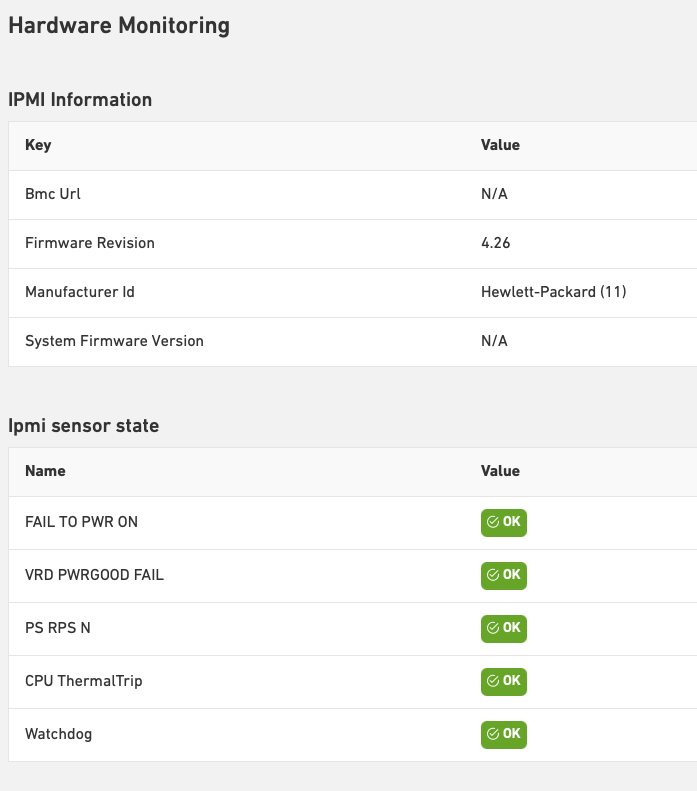
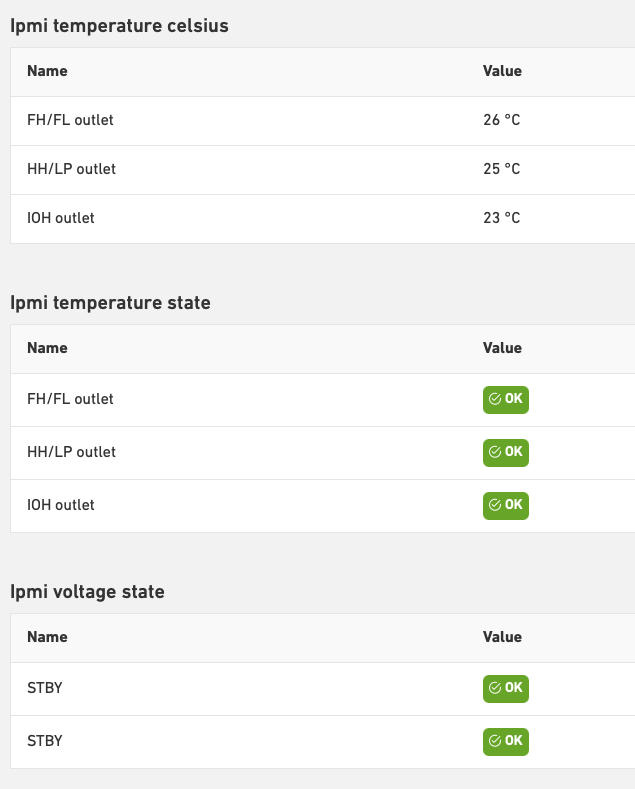
For bare metal servers, Leaseweb provides hardware monitoring:
The hardware health metrics are collected directly from the server’s management interface – without having to install an agent on the operating system and thereby ensuring that we do not interfere with the customer environment.
This includes data from sensors such as temperature, power, fan, and other system health indicators. Each server exposes different metrics depending on the brand and the model.
Key Characteristics
1. Agentless by design
All the metrics are collected from the IPMI interface of the server. Therefore, there is no software or agent running on the customer’s operating system.
2. Hardware-native data
The server’s BMC reads the metrics directly from the server’s firmware and sensors, thereby ensuring accurate insight into the physical state of the machine.
3. Always available
Since IPMI runs independently of the OS, hardware health metrics remain visible even when the server is powered off, rebooting, or in a faulty state.
How to enable hardware monitoring on your server
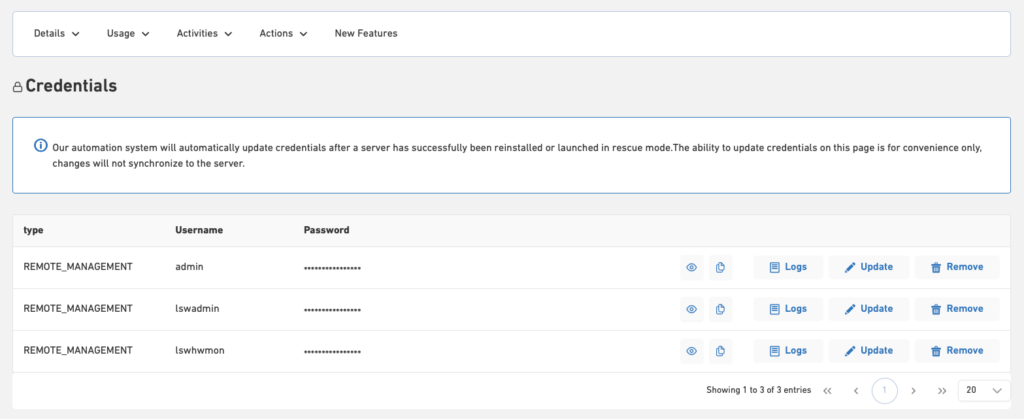
Our monitoring system collects all the metrics via the server’s IPMI interface. For this purpose, we create a dedicated read-only IPMI user called “lswhwmon” on each server.
This user is exclusively used to collect hardware metrics for monitoring.
Information 
New servers are delivered with this user already in place, so hardware monitoring works out of the box. For existing servers, the user must be created for the hardware monitoring to kick in.
How to manage hardware monitoring:
- To create the required user an IPMI reset is needed
- The user then gets created automatically
- To disable hardware monitoring, delete the user
- The details of this user can be found in the remote management portal of the server and under the Credentials page of the server in the Customer Portal:
- See the collected metrics in the Customer Portal under Usage -> Hardware Monitoring
- The metrics are refreshed every 5 minutes: